Independent, open source CAD
SolidCraft: free, open source parametric 3D CAD
A CAD tool for simple parts, with an editable parametric timeline, desktop and browser versions, and optional AI agent modeling through MCP.
MIT OR Apache-2.0. Early, but usable for simple parts.
View official demo (8.9 MiB)
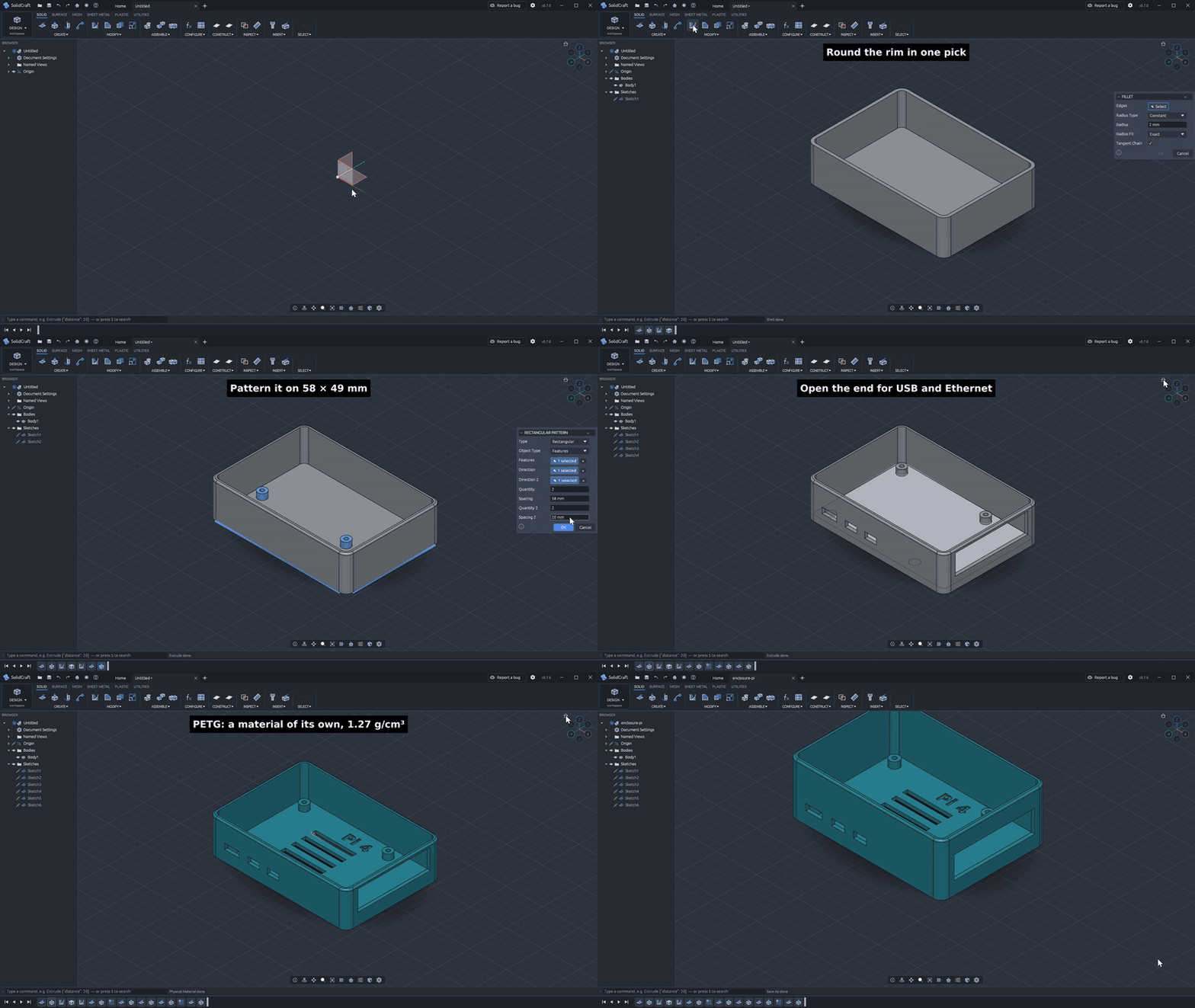
The official README demo models a Raspberry Pi 4 case using sketches, extrude, fillets, shell and parameters. Recorded in SolidCraft 0.8; 9× playback. Expand to load and view the animation; collapse to hide it.
Image source: SolidCraft official repository · Original GIF · Asset attribution
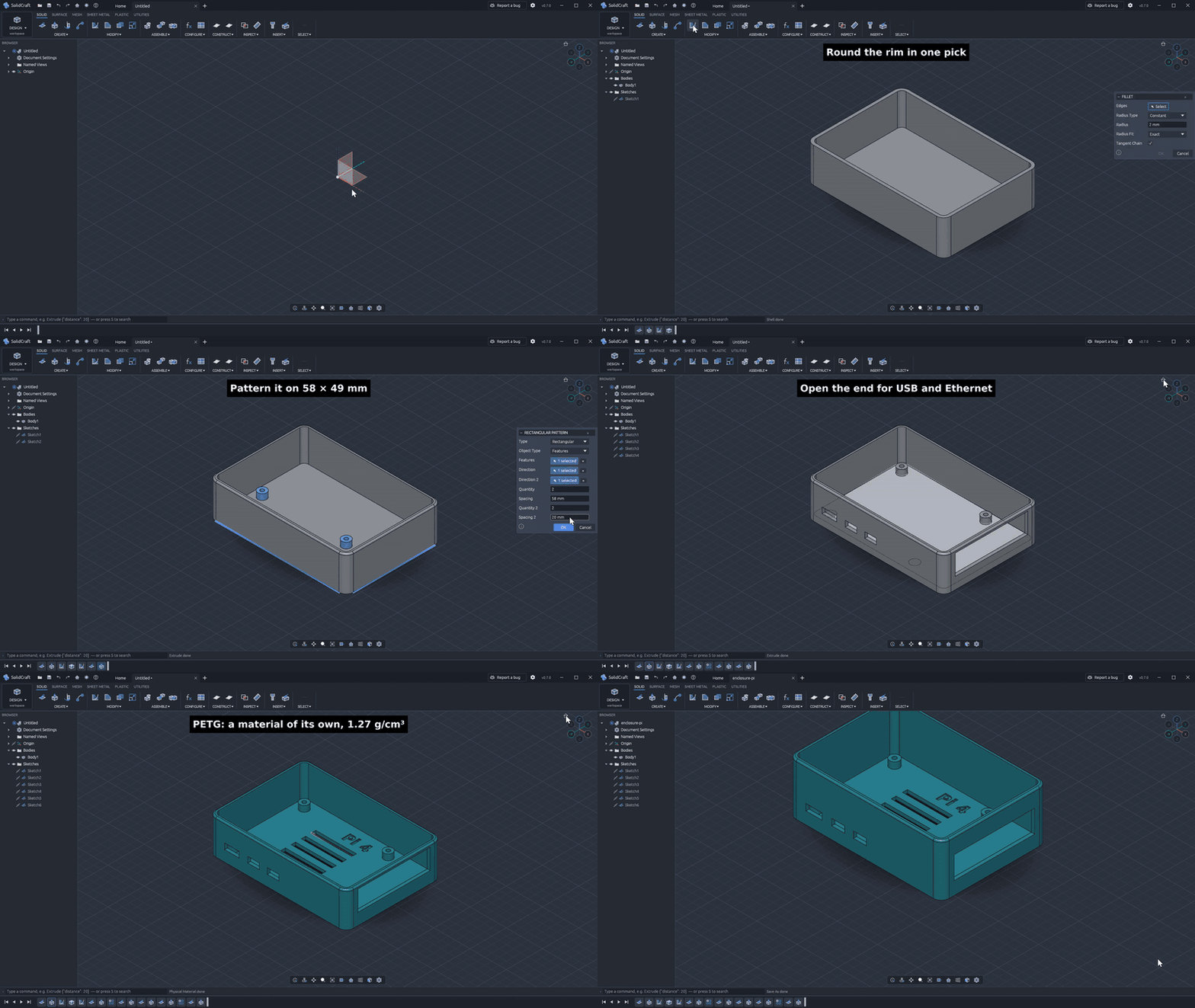
Image license: MIT — © 2026 SolidCraft contributors
MIT License. Copyright (c) 2026 SolidCraft contributors.
Permission is hereby granted, free of charge, to any person obtaining a copy of this software and associated documentation files (the “Software”), to deal in the Software without restriction, including without limitation the rights to use, copy, modify, merge, publish, distribute, sublicense, and/or sell copies of the Software, and to permit persons to whom the Software is furnished to do so, subject to the following conditions:
The above copyright notice and this permission notice shall be included in all copies or substantial portions of the Software.
THE SOFTWARE IS PROVIDED “AS IS”, WITHOUT WARRANTY OF ANY KIND, EXPRESS OR IMPLIED, INCLUDING BUT NOT LIMITED TO THE WARRANTIES OF MERCHANTABILITY, FITNESS FOR A PARTICULAR PURPOSE AND NONINFRINGEMENT. IN NO EVENT SHALL THE AUTHORS OR COPYRIGHT HOLDERS BE LIABLE FOR ANY CLAIM, DAMAGES OR OTHER LIABILITY, WHETHER IN AN ACTION OF CONTRACT, TORT OR OTHERWISE, ARISING FROM, OUT OF OR IN CONNECTION WITH THE SOFTWARE OR THE USE OR OTHER DEALINGS IN THE SOFTWARE.
Official MIT licenseWhat SolidCraft is, and what it isn’t
SolidCraft is open source parametric 3D CAD. Built primarily in Rust. It offers an open source approach to workflows associated with Fusion 360, SolidWorks and AutoCAD. The project calls itself “early but usable for simple parts,” so treat it as a tool to evaluate against your own designs.
SolidCraft is independent. It is not an Autodesk product, is not affiliated with Dassault Systèmes, PTC or Siemens, and is not part of ArtCraft’s official product line. A shared “craft” name does not establish affiliation. Product names and trademarks belong to their respective owners and are used here for identification and comparison.
SolidCraft at a glance
A concise overview of SolidCraft. Check the official project documentation for current features, installation options and limitations.
| License | MIT OR Apache-2.0 (dual license) |
|---|---|
| Releases | Latest release ↗ |
| Platforms | Windows, macOS, Linux, FreeBSD, Web |
| File formats | STEP, IGES, 3MF, STL, OBJ, glTF; URDF export; native .solidcraft |
| Automation | Headless CLI + MCP server |
| Documentation | Official documentation ↗ |
Sketches and constraints
Build sketches with lines, arcs, splines and text. SolidCraft uses its own constraint solver, with parameter-driven dimensions. Parameters and configurations accept expressions with units.
Feature modeling and a parametric timeline
Extrude, revolve, sweep and loft; add fillets, chamfers, shells, draft, holes and threads. Patterns, mirrors, split and combine operations remain on an editable parametric timeline.
Assemblies
Work with joints, motion simulation and contact sets. Interference checks and mass properties help you inspect an assembly. Evaluate the needs of complex assemblies before adopting an early-stage tool.
Sheet metal
Create flanges and hems, work with bends and unfolding, and produce flat patterns.
File import and export
Import and export STEP, IGES, 3MF, STL, OBJ and glTF. Export URDF, or keep native .solidcraft design files. Desktop, browser, headless CLI and MCP server share the same commands.
How to install SolidCraft
Get your SolidCraft download from the official downloads page. Use the latest release rather than relying on a version number quoted here.
Windows
Use the Windows installer, or install with winget:
winget install bherbruck.SolidCraftmacOS
For SolidCraft on Mac, choose the DMG for Apple silicon or Intel. On first launch, right-click the app and choose Open.
Linux
Download the AppImage, or install with Snap:
sudo snap install solidcraftDEB, RPM and Flatpak packages are also available. FreeBSD is supported. To skip installation, open the browser app in a browser with WebGPU or WebGL2 support.
SolidCraft CLI + MCP
Model with an AI agent (MCP)
AI is optional: you can use SolidCraft without an agent. To expose the SolidCraft MCP server, run:
solidcraft-cli mcpConnect Claude Code with:
claude mcp add solidcraft -- solidcraft-cli mcpThe server can run headlessly, or use --connect to drive an application that is already running. The desktop app, browser, CLI and MCP server use the same command set.
Read the official MCP guide ↗
Explore the official feature list ↗
SolidCraft FAQ
Is SolidCraft really free?
Yes. SolidCraft is open source under MIT OR Apache-2.0, with no subscription and no paywall.
Does it run on macOS and Apple silicon?
Yes. macOS DMG downloads are available for both Apple silicon and Intel.
Can SolidCraft open and export STEP or IGES files?
Yes. SolidCraft imports and exports STEP and IGES, as well as STL, OBJ, glTF and 3MF. It also exports URDF and uses .solidcraft for native design files.
Is SolidCraft a good Fusion 360 alternative?
SolidCraft offers parametric modeling and an editable feature timeline for simple parts. The project describes itself as “early but usable for simple parts.” Evaluate complex assemblies against your own requirements.
Does it work offline?
The desktop version runs locally. The browser version requires a browser with WebGPU or WebGL2 support.
Is SolidCraft from Autodesk or ArtCraft?
Neither. SolidCraft is an independent project and is not part of Autodesk or the official ArtCraft product line.
More selected open-source tools
PhotoCraft, VectorCraft, LightCraft, PdfCraft, EffectCraft, WordCraft.
Browse the selected creative tools and CAD guide →